
JADX GUI Decompile Android APK and DEX Files Into Readable Java Source Code
JADX GUI to decompile Android APK and DEX files into readable Java-like source code, inspect classes, methods, manifests, resources, and package structures, and analyze application logic through a clear graphical interface designed for developers, researchers, and security professionals worldwide.

- 02- Review
A decompiler you can actually read the output of
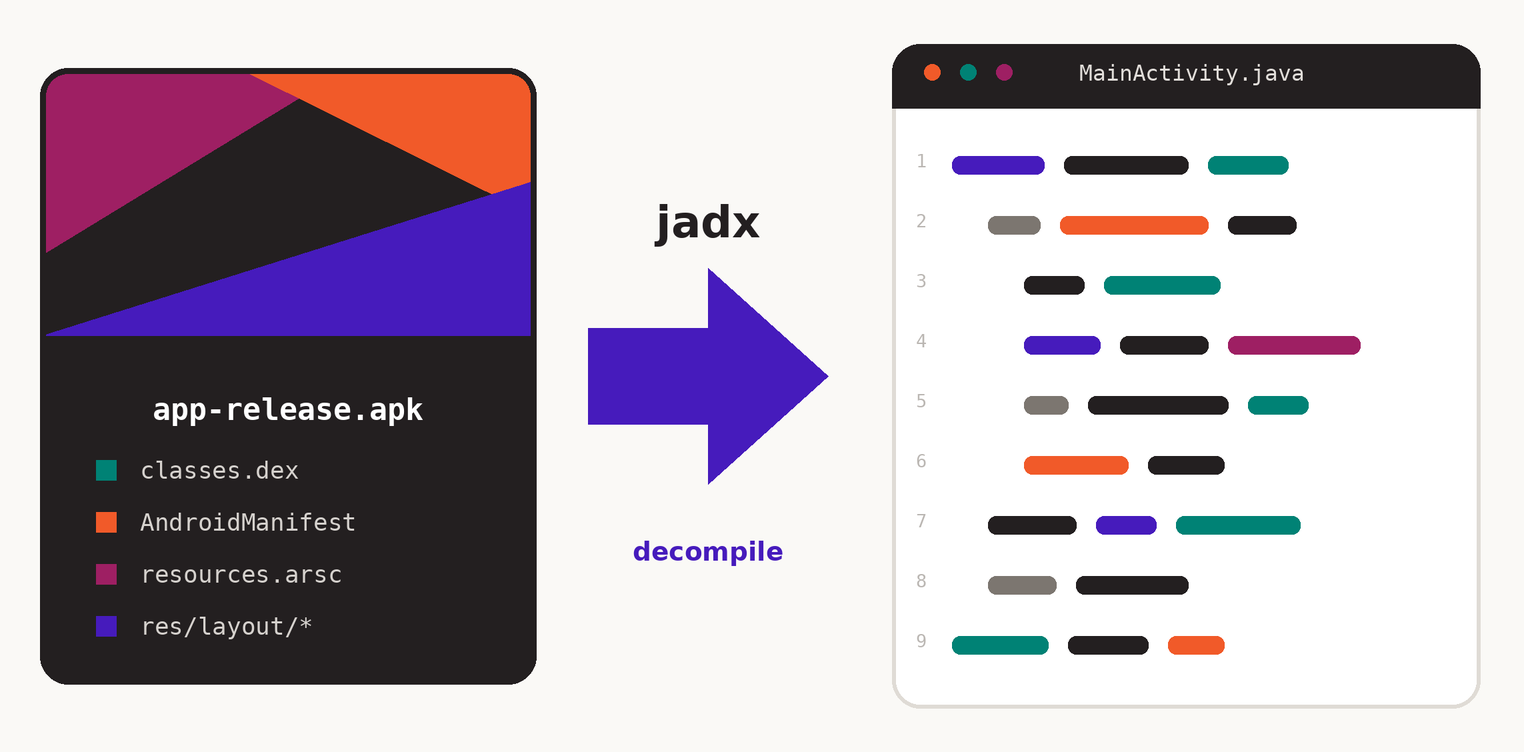
JADX is an open source Dex to Java decompiler written by Skylot. The command line binary is jadx; the desktop window is jadx-gui. Both share the same engine, so the code you read in the window is the code you would get on disk.
Android ships compiled Dalvik bytecode inside an APK. JADX reads that bytecode, reconstructs control flow, gives locals sensible names and prints Java that compiles in your head. Resources are decoded at the same time, so AndroidManifest.xml and everything under res/ come back as text instead of binary blobs.
- Apache 2.0 licensed and free for commercial work
- Nothing is uploaded — the whole thing runs offline on your machine
- Same engine on Windows, macOS and Linux
- 03 - what you get
Everything the window gives you
The GUI is not a viewer bolted onto a command line tool. It carries features you would otherwise stitch together from three separate programs.
Full text search
Search class names, methods, fields, string constants and raw code across the whole APK, with results grouped by type.
Jump to usage
Right click any symbol to find every place it is referenced, then walk backwards through the call chain.
Deobfuscation
Turn a.b.c into stable generated names, and rename anything yourself so the new name sticks everywhere.
Smali beside Java
When decompilation gets ugly, flip to the smali or bytecode view for the same method and compare line by line.
Export anywhere
Save one class, a package or the entire project — plain sources or a Gradle layout you can open in Android Studio.
Decoded resources
Manifest, layouts, strings, drawables and raw assets are readable in the same tree as the code.
Plugins and scripts
Recent versions load input plugins and JADX scripts, so unusual containers and repeatable edits stay inside one tool.
Session that survives
Renames, comments and bookmarks are saved into a project file, so reopening the APK picks up where you left off.
- 04 · latest release
JADX GUI Download Options
Download JADX GUI to inspect APK, DEX, and other supported Android files through a clean graphical interface. JADX GUI helps users browse decompiled Java source code, application resources, classes, methods, and AndroidManifest.xml files in an organized workspace.
Windows
Download JADX GUI for Windows to inspect Android applications, browse decompiled Java source code, view resources, and explore application structure through an easy-to-use desktop interface.
macOS
Get JADX GUI for macOS and access its Android decompilation, source navigation, resource inspection, and search features in a clean graphical environment.
Linux
Download JADX GUI for Linux to analyze Android packages, inspect decompiled source code, browse resources, and navigate application components efficiently.
- 05 - installation
Install JADX GUI after the download
The standard JADX archive requires Java 11 or newer. Windows users
can also choose the bundled-JRE package, which removes that prerequisite.
Extract the selected package and launch the GUI from its included files.
Confirm Java is present
Run java -version. For the standard archive, Java 11 or newer is required. Run java -version to confirm it is available. If you downloaded the Windows package with bundled JRE, you can skip this check.
Unpack the release archive
Put it somewhere without spaces or non-ASCII characters in the path. Inside you get bin/ with the launchers and lib/ with the jars.
Start the GUI
Windows: bin\jadx-gui.bat. macOS and Linux: ./bin/jadx-gui. Drop an APK onto the window, or pass it as an argument to open it straight away.
Add it to your PATH
Adding the bin folder to PATH lets you type jadx-gui app.apk from any folder — the difference between a tool you use and a tool you forget about.
Raise the heap before you need to
Edit jadx-gui.vmoptions and set -Xmx to a value the machine can spare. The memory tab in the tool above prints the exact lines.
- 06 · the window
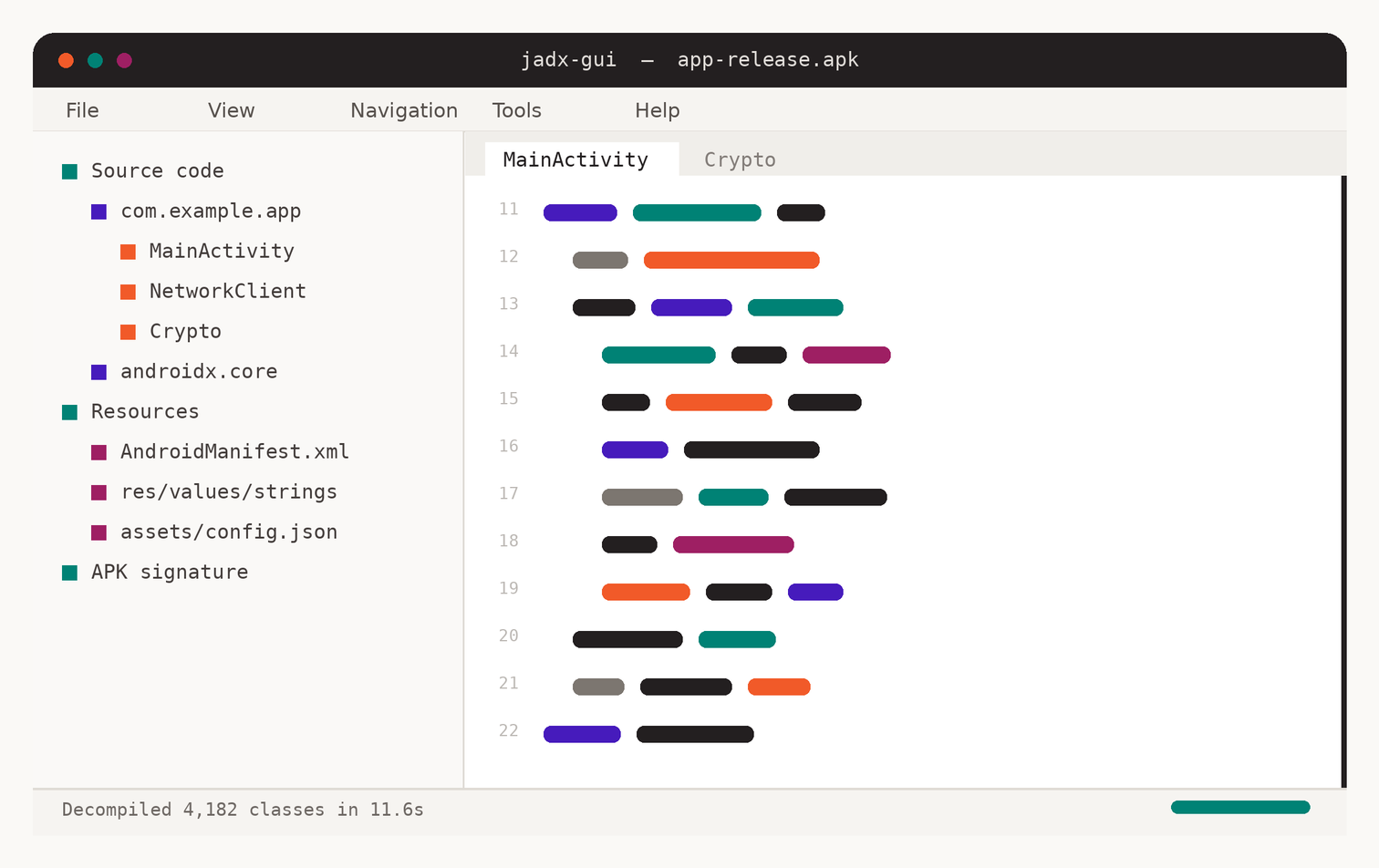
Four areas, and that is the whole interface
Nothing is hidden behind a workspace concept. Learn these four regions and you know the program.
- Source code, Resources and APK signature. Packages expand into classes; resources expand into decoded XML.
- Tabs of decompiled Java with clickable symbols. Ctrl-click a type to open it.
- File for opening and exporting, Navigation for search and history, Tools for plugins, preferences and the log.
- Progress while classes are decompiled, plus the count of methods that failed and fell back to smali.
- 07 - a working routine
How a session usually goes
Opening an unknown APK is less overwhelming with an order to follow.
This is the loop most people settle into.
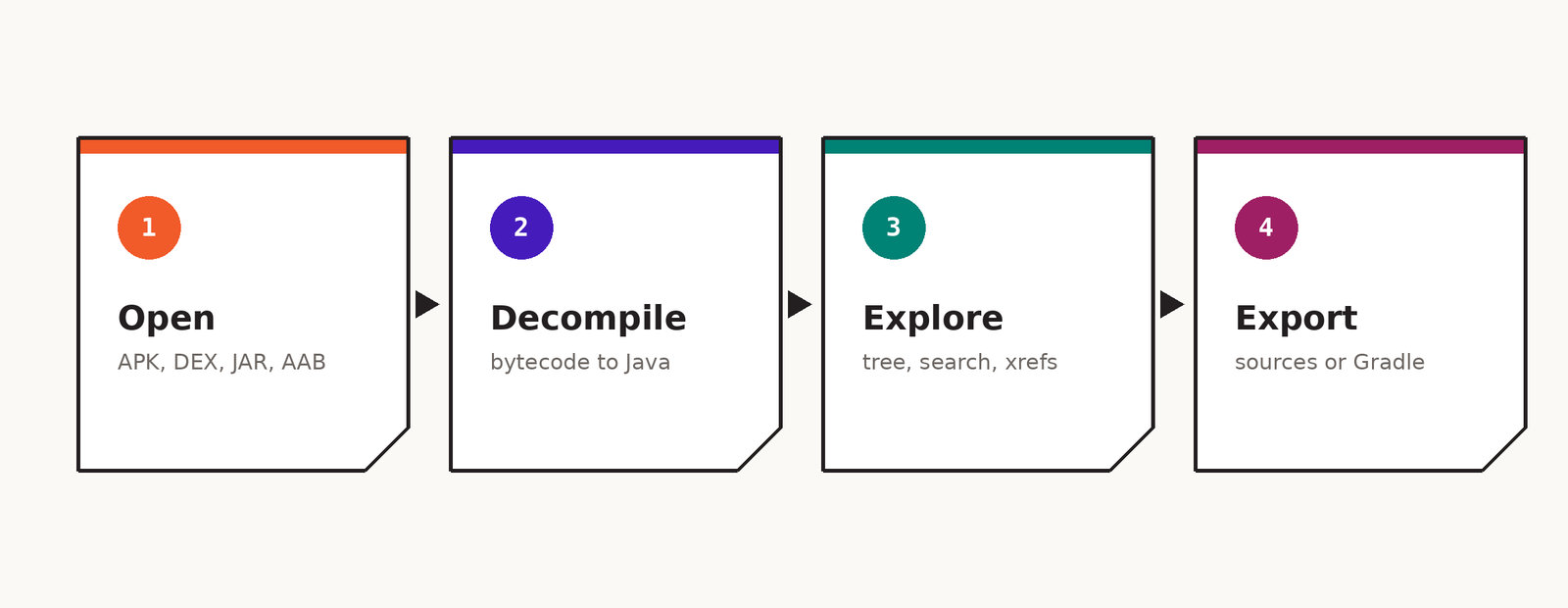
Start at the manifest
Read AndroidManifest.xml first. Permissions, exported activities, services, receivers and the application class tell you what the app is allowed to do and where execution begins. Every later question is easier with that map in your head.
Follow strings, not classes
Searching for a visible message, an endpoint or an error text lands you in the interesting method far faster than scrolling a package tree. From there, use "find usage" to climb back up the call chain.
Rename as you understand
When you work out that c.a.d is a token store, rename it. Renames propagate through the project and are saved with it, so the second hour is far more productive than the first.
Export only when you must
Reading inside the GUI keeps the index and cross references. Export to Gradle when you want another IDE's refactoring, or plain sources when you only need a diff between two versions.
- 08 - inputs
What you can open
Anything holding Dalvik or Java bytecode is fair game, and
several containers are unpacked for you.
| Format | What it is | Handling |
|---|---|---|
.apk |
Installed Android package | Dex files decompiled, resources decoded, manifest restored, signature listed |
.dex / .odex |
Raw Dalvik bytecode | Decompiled directly; no resources exist in the file |
.aab |
Android App Bundle | Base and feature modules read from the bundle layout |
.xapk / .apks |
Split APK bundles | Archive is unpacked and the contained APKs are loaded together |
.jar / .class |
Java bytecode | Converted to Dex internally, then decompiled like any other input |
.aar |
Android library | Classes and resources both read |
.zip |
Anything containing the above | Scanned for dex, class and resource entries |
.smali |
Disassembled bytecode | Assembled and shown as Java through the smali input plugin |
- 09 - keyboard
Shortcuts that save the most time
On macOS swap Ctrl for Cmd. Every binding can be changed under Tools then Preferences.
| Keys | Action | Why it matters |
|---|---|---|
| Ctrl + O | Open file | Loads an APK, dex, jar or bundle into a fresh project |
| Ctrl + Shift + F | Search in all files | Grep across decompiled code, the fastest way into an unknown app |
| Ctrl + N | Search class | Jump straight to a type by name |
| Ctrl + F | Find in current tab | Local search with highlight of every match |
| X | Find usage | Every reference to the symbol under the cursor |
| N | Rename | Rename a class, method or field project wide |
| Esc | Back | Return to the previous position after jumping |
| Ctrl + Enter | Go to declaration | Follow the symbol under the cursor to where it is defined |
| Ctrl + S | Save project | Stores renames, comments and bookmarks in a .jadx project file |
| F5 | Reload | Re-reads the file after it changed on disk |
- 10 - command line
The flags worth remembering
The GUI writes the same options into a dialog, so knowing them helps in
both places. Build a full command in the tool at the top of the page.
-d <dir>
-ds / -dr
--no-src
--no-res
--deobf
--show-bad-code
--decompilation-mode <m>
-e, --export-gradle
-j <n>
--single-class <name>
--log-level <level>
- 11 - speed and memory
Large APKs without the freeze
Most complaints about JADX are really complaints about heap size. A 200
MB app with a hundred thousand methods needs room to work.
Give the JVM headroom
Set -Xmx in jadx-gui.vmoptions to about two
thirds of physical memory. Too small causes a heap error; too large
starves the operating system and everything crawls.
Turn threads down, not up
Each worker holds its own graph in memory. On an 8 GB laptop,
-j 2 often finishes a big APK that -j 8
cannot finish at all.
Decompile only what you need
The GUI decompiles a class when you open it. From the command line,
--single-class or --no-res cuts the work
to a fraction.
Skip deobfuscation at first
--deobf builds a name map over the entire application.
Leave it off for a first pass and switch it on once you know the app
is worth the wait.
Use an SSD path
Exports write tens of thousands of small files. A network share or an external drive can take longer than the decompilation itself.
Watch the failure count
The status bar reports methods that could not be decompiled. A high count usually means heavy obfuscation, not a broken install.
- 12 - alternatives
Where JADX GUI fits next to the other tools
Reverse engineering an Android app usually takes more than one
program. These are the ones people pair it with, and what each is actually
good at.
| Tool | Best at | Java output | Resources | Repackaging |
|---|---|---|---|---|
| JADX GUI | Reading an APK as Java, quickly | Yes | Yes | No |
| apktool | Editing smali and rebuilding an APK | Smali only | Yes | Yes |
| Bytecode Viewer | Comparing several decompilers side by side | Yes | Limited | No |
| JD-GUI | Plain Java jars, not Android | Yes | No | No |
| Ghidra |
Native .so libraries inside the APK
|
C-like | No | No |
A common pairing: read the app in JADX GUI to understand it, patch smali in apktool when you need to change behaviour, and open native libraries in Ghidra when the logic you are chasing has moved out of Java.
- 13 - when it misbehaves
Errors you will probably meet
Almost every report falls into one of these six. Each has a fix that takes
under a minute.
The window does not open at all
Run the launcher from a terminal instead of double clicking it — the error goes to standard output. Nine times out of ten it says Java was not found or the version is too old. Install JDK 17 and make sure java -version answers from the same shell.
java.lang.OutOfMemoryError: Java heap space
The default heap is not enough for this APK. Raise -Xmx in jadx-gui.vmoptions, or run the command line version with fewer threads. The memory tab in the tool above prints the numbers for your machine.
Whole classes come out as comments or smali
Those methods failed the decompiler’s own checks. Add --show-bad-code to see the imperfect output anyway, or switch that class to the smali view. Heavily obfuscated and packed apps produce this routinely.
Class names are all a, b, c and aa
The app was processed by R8 or ProGuard. Enable deobfuscation so JADX generates stable readable names, then rename the important ones yourself as you identify them.
Resources are missing or the manifest is binary
You opened a .dex rather than the APK, or resource decoding was disabled. Open the original APK, and check that --no-res is not set in your saved options.
Antivirus quarantined the download
Reverse engineering tools are flagged by heuristics regularly. Verify the checksum against the official release page; if it matches, add an exclusion for the folder. If it does not match, delete it and download again from the project repository.
- 14 - why people open it
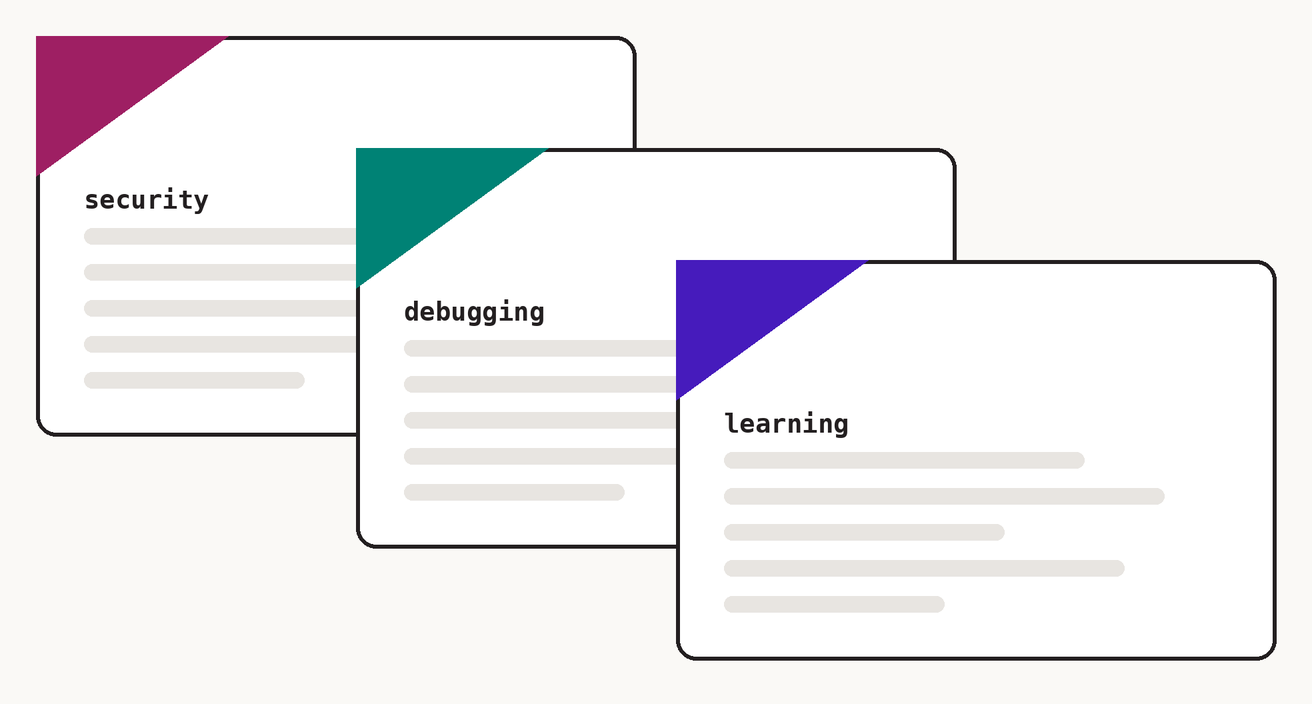
Legitimate reasons to decompile an app
Decompiling is a normal part of security work, incident response and software maintenance. What matters is whose app it is and what you do with what you find
- Check whether your own release leaks keys, logs tokens or ships a debug endpoint.
- Work out what a suspicious APK does before it reaches a phone in your organisation.
- Lost sources, an old build, a contractor who vanished — the APK is sometimes all that is left.
- See what a third party library really sends before you ship it to users.
- Comparing your own compiled output with the source teaches more about R8 than any blog post.
- 15 - questions
Frequently asked
Is JADX GUI free?
Yes. It is open source under the Apache License 2.0, with no paid tier, account or usage limit. You can use it at work and inside commercial projects.
Where should I download JADX GUI?
Use the official skylot/jadx GitHub release assets. The download buttons on this page point directly to the official 1.5.6 release files rather than third-party repackaged installers.
Does it work without Java installed?
The standard archive needs Java 11 or newer. There is also a Windows installer that bundles a runtime, which is the simplest option if you would rather not manage a JDK.
Can it decompile an APK back into a project I can build?
It can export a Gradle project, and that project will open in Android Studio, but do not expect it to compile untouched. Decompiled Java loses generics, some control flow and anything the optimiser rewrote. Treat the export as documentation, not as source you can ship.
Is my file uploaded anywhere?
No. JADX GUI runs on your computer, and this downloader page does not upload your APK or DEX files. The download selector only sends you to official release files.
Why is some code missing or wrapped in comments?
The decompiler refuses to print output it cannot verify. Enable “show inconsistent code” to see it anyway, and read the smali view for the parts that matter.
How is JADX different from apktool?
JADX gives you Java to read. Apktool gives you smali to edit and can rebuild a working APK. Analysts usually keep both installed and reach for whichever the task needs.
Can it open an obfuscated app?
Yes, though names will be meaningless until you enable deobfuscation. Packed apps are harder: if the real code is decrypted at runtime, you will need to dump it from memory before JADX has anything useful to read.
Is decompiling an app legal?
It depends on the jurisdiction, the licence and your purpose. Analysing your own software, or software you are authorised to test, is normal practice. Copying protected code or defeating licensing is not. When money or a client is involved, get the permission in writing.