
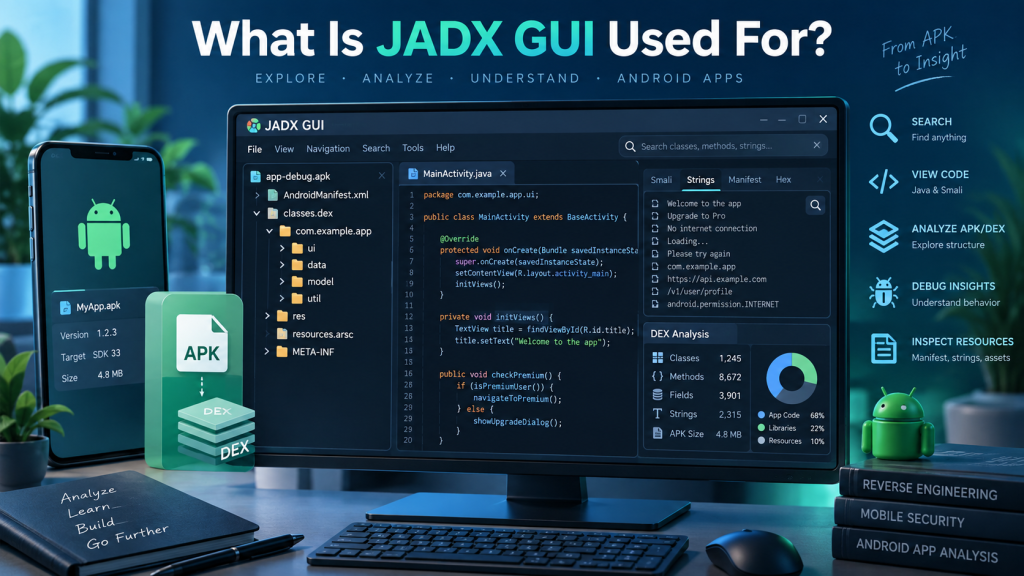
JADX GUI is a graphical tool designed to help developers, security researchers, and Android enthusiasts inspect compiled Android applications. It converts Dalvik bytecode from APK and DEX files into readable Java-like source code, making application structure easier to understand. Unlike command-line decompilers, its graphical interface lets users browse packages, classes, methods, resources, and application files from one convenient workspace.
JADX GUI is particularly useful when source code is unavailable but someone needs to understand how an Android application works. Common uses include debugging, application research, security analysis, learning Android development techniques, and examining application resources. However, decompiled output is not guaranteed to reproduce 100% of the original source code, especially with complex or obfuscated applications.
What Is JADX GUI?
JADX GUI is the graphical interface included with JADX, an open-source Dex-to-Java decompiler. It provides an easier way to navigate decompiled Android application code without relying heavily on terminal commands.
The tool can process several file formats, including APK, DEX, JAR, CLASS, AAB, AAR, ZIP, XAPK, APKM, and Smali files. It can also decode important Android resources, including AndroidManifest.xml and data stored inside resources.arsc.
Its interface provides syntax highlighting, full-text search, declaration navigation, usage searching, and other features that make large Android projects easier to explore.
What Is JADX GUI Used For?
The main purpose of JADX GUI is Android application inspection and reverse engineering. When an APK is opened, JADX attempts to translate its compiled Dalvik bytecode into readable Java source code.
Developers can use this output to understand application logic, investigate bugs, examine older applications when original source files are unavailable, or learn how particular Android features have been implemented.
Security professionals may also use JADX GUI during authorized application security assessments. Reviewing decompiled code can help identify insecure implementation patterns, exposed configuration values, suspicious functions, or other potential security concerns.
JADX GUI also provides a convenient way to examine application resources alongside code. This makes it useful when researching an application’s permissions, components, activities, services, receivers, and general structure.
Key Features of JADX GUI
JADX GUI combines decompilation with useful code-navigation tools. According to the project’s official documentation, major capabilities include:
- Java-like source-code viewing with syntax highlighting
- Full-text searching across decompiled content
- Jump-to-declaration and find-usage functionality
- Android resource and manifest decoding
- Built-in deobfuscation capabilities
- Smali debugging support
- Support for multiple Android and Java-related file formats
These features make JADX GUI more practical for interactive analysis than manually searching through large collections of extracted files.
Safe JADX GUI Download Sources
The safest choice is the official JADX project maintained by skylot on GitHub. The project’s documentation directs users to its official GitHub Releases page for stable releases and separately provides an unstable development build for testing newer changes.
For normal use, stable releases are preferable. Avoid downloading modified JADX packages from unknown file-sharing websites, unofficial mirrors, advertisements, or random download pages. Third-party packages may be outdated or altered.
JADX GUI System Requirements
JADX GUI is relatively straightforward to run, but requirements depend on which distribution package you download. The official documentation currently specifies a 64-bit Java 11 or later runtime for the standard package. Some Windows releases may also be distributed with a bundled JRE, reducing the need for a separate Java installation.
Windows, Linux, and macOS users can run JADX, while installation methods vary between platforms. The project documentation also provides package-based installation options for Arch Linux, macOS through Homebrew, and Linux through Flathub.
Large or complicated APK files naturally require more memory and processing resources than smaller applications. A modern 64-bit computer with sufficient RAM will provide a smoother experience when analyzing larger projects.
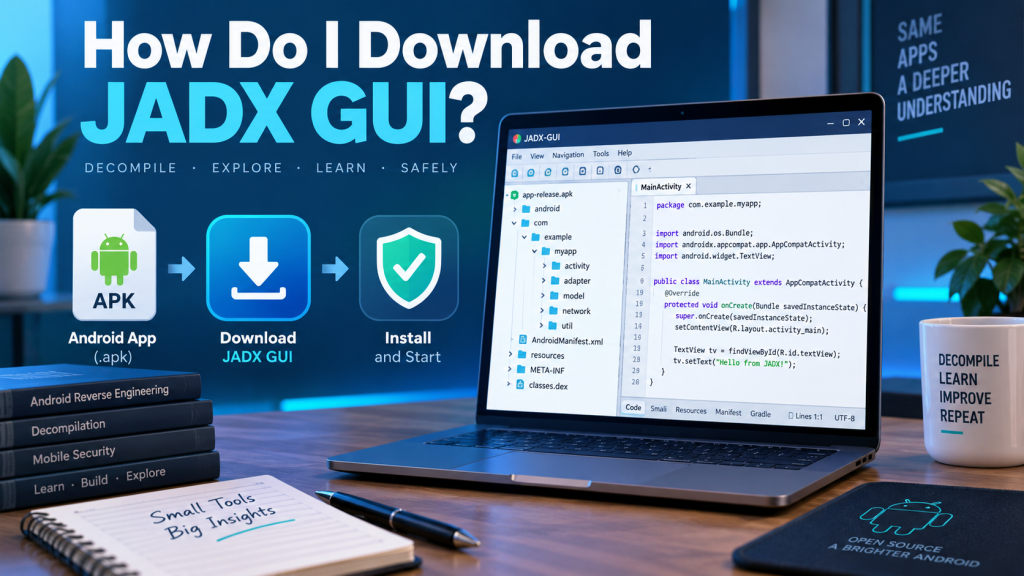
How to Download and Run JADX GUI
Installing the standard cross-platform release does not normally require a traditional installer.
The general process is simple:
- Visit the official JADX GitHub repository and open the latest Releases page.
- Download the appropriate stable JADX package for your operating system.
- Extract the downloaded ZIP archive to a convenient folder.
- Open the extracted directory and locate the
binfolder. - Run
jadx-gui; on Windows, the corresponding.batfile can be launched by double-clicking it. - Once JADX GUI opens, select the APK, DEX, or another supported file you are authorized to inspect.
- Allow JADX to process the file, then browse its packages, classes, resources, and decompiled code.
These steps follow the basic setup process described by the official JADX project.
JADX GUI Compatibility
JADX GUI supports a broad range of Android and Java-related input formats. Current documentation lists APK, DEX, JAR, CLASS, Smali, ZIP, AAR, ARSC, AAB, XAPK, and APKM among its supported inputs.
This broad compatibility means JADX GUI is not restricted to ordinary APK analysis. Developers can inspect individual DEX files, Android App Bundles, libraries, compiled Java classes, and several other package types.
Compatibility does not mean every file will produce perfect source code. Applications protected by strong obfuscation, unusual compilation techniques, encryption, or unsupported structures can produce incomplete or difficult-to-read results.
Basic JADX GUI Setup
After launching JADX GUI, users can adjust preferences according to their workflow. For most beginners, the default configuration is enough to start exploring an application.
Opening an APK usually presents a project-style tree containing packages, classes, resources, and other application components. Selecting a class displays the reconstructed source code in the main viewing area.
Search and navigation features become especially valuable when analyzing larger applications. Instead of opening hundreds of classes individually, users can search for specific methods, strings, class names, or references.
Common JADX GUI Problems
One common problem is JADX GUI failing to launch because the required Java runtime is missing or incompatible. Checking the installed Java version or using an appropriate release with a bundled runtime can often resolve startup problems.
Users may also encounter decompilation errors. These do not necessarily mean JADX itself is broken. The official project explicitly warns that it cannot always decompile 100% of an application’s code. Some methods may fail or appear differently from their original source representation.
Large applications can also take longer to process or consume significant memory. Closing unnecessary applications and ensuring adequate system memory may improve performance.
Obfuscated code presents another challenge. Class and method names may appear meaningless because the application’s developer deliberately transformed them before release. JADX includes deobfuscation functionality, but it cannot always reconstruct original names or logic perfectly.
Is JADX GUI Safe?
JADX GUI itself is an established open-source project released under the Apache 2.0 license. Obtaining releases from the official project repository helps reduce risks associated with modified third-party downloads.
There is an important distinction between the safety of JADX and the files opened with it. APK files obtained from unknown sources may contain malicious code. Avoid installing or executing suspicious APK files simply because you want to inspect them.
Security researchers working with potentially malicious applications should use an isolated analysis environment where appropriate.
Safety and Responsible Usage Tips
JADX GUI should be used only on applications you own, have permission to analyze, or are otherwise legally authorized to inspect. Reverse-engineering rules can differ depending on software licenses, jurisdictions, and intended use.
Keep JADX and your Java runtime updated, obtain releases from trusted sources, and avoid executing unknown APK files. For sensitive security research, use proper isolation techniques and maintain backups of important data.
JADX GUI vs. Command-Line JADX
JADX provides both graphical and command-line interfaces. They use the same general decompilation technology but serve different workflows.
JADX GUI is better suited to interactive exploration because users can click through classes, search source code, inspect resources, and follow declarations visually. The command-line version is more convenient for automation, scripts, batch processing, and workflows where graphical navigation is unnecessary.
Beginners will generally find JADX GUI easier, while experienced developers may use both versions depending on the task.
Why Developers Use JADX GUI
JADX GUI reduces the difficulty of understanding compiled Android applications. Instead of manually decoding DEX files and navigating raw bytecode, users receive an organized view containing reconstructed Java code and application resources.
It can be valuable for Android development education, authorized security testing, debugging, compatibility research, legacy application analysis, and understanding unfamiliar APK structures.
Its combination of code decompilation, search, navigation, resource decoding, and a graphical interface makes JADX GUI one of the more practical tools for examining Android application internals.
Conclusion
JADX GUI makes Android app analysis easier by converting APK and DEX files into readable code. Download it from trusted sources and use it responsibly for development, debugging, and authorized security research.

Pingback: How Do I Download JADX GUI?