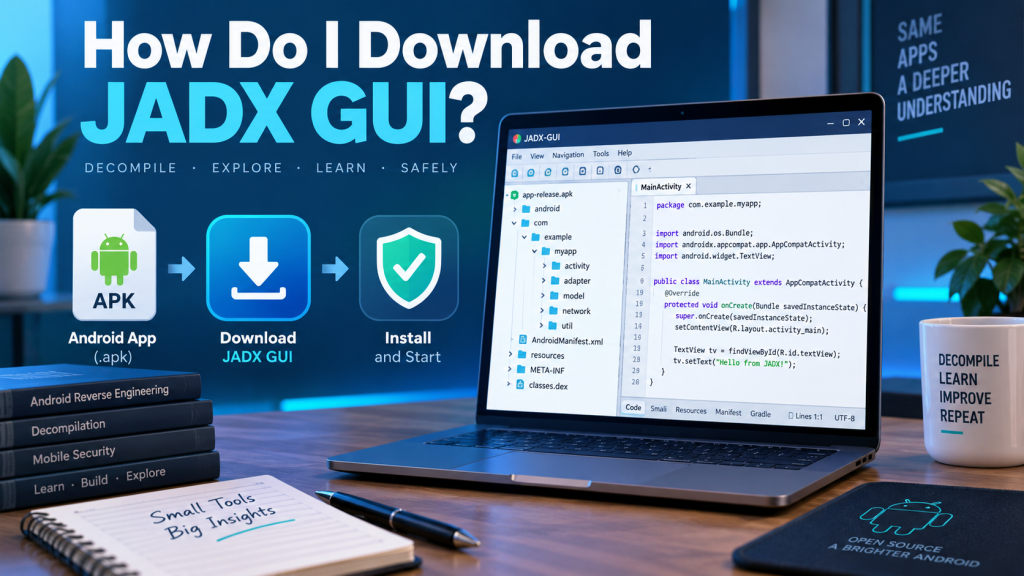
JADX GUI is a popular graphical decompiler designed to help developers, security researchers, and Android enthusiasts inspect APK, DEX, AAB, JAR, and related files. Before installing it, understanding the system requirements for JADX GUI can help prevent startup errors, slow performance, memory problems, and Java compatibility issues. The application itself is relatively lightweight, but larger Android packages may require considerably more resources during decompilation.
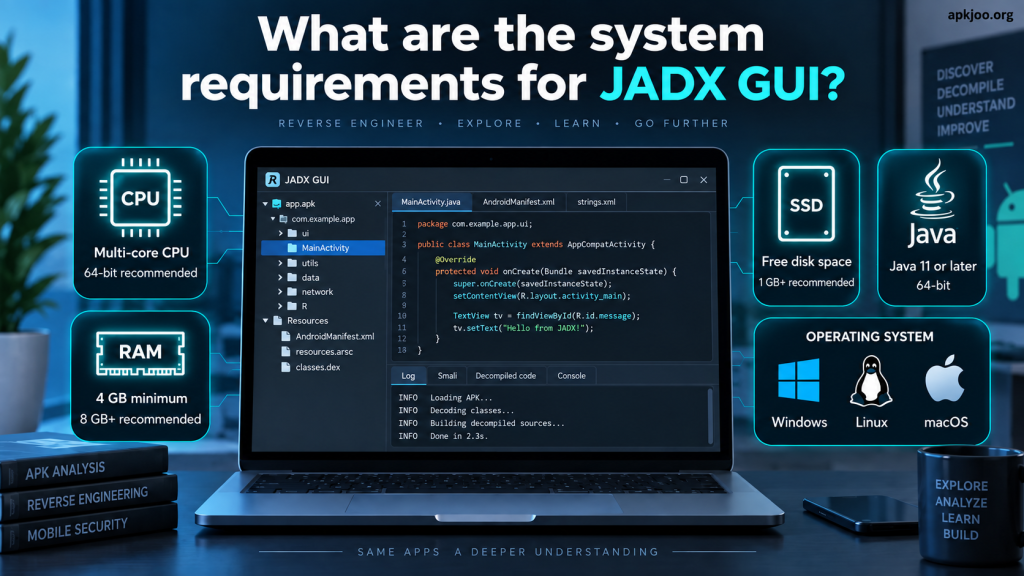
The most important official requirement is a compatible 64-bit Java installation. The current JADX documentation states that Java 11 or later is required for running the downloaded version, while developers building JADX from source need JDK 17 or newer. Hardware requirements are less strictly defined, meaning practical requirements largely depend on APK size, code complexity, available memory, and workload.
Read More: Can JADX GUI Decompile Android Applications?
Basic JADX GUI System Requirements
JADX does not publish a detailed official minimum specification covering processor speed, RAM capacity, graphics hardware, and storage space. Instead, its official documentation focuses mainly on Java compatibility. For normal JADX GUI use, a modern 64-bit computer capable of running a supported Java environment should generally be enough. More powerful hardware becomes useful when analyzing large applications containing thousands of classes and resources.
For a practical installation, users should consider a 64-bit operating system, a reasonably modern processor, sufficient free memory, and enough disk space for JADX files and extracted projects. APK decompilation can temporarily consume significantly more resources than simply opening the GUI, especially when JADX indexes code, performs searches, processes resources, or generates Java source representations.
- 64-bit Windows, Linux, or macOS environment
- Java 11 or later for the standard JADX distribution
- At least 4 GB RAM for light workloads, with 8 GB or more preferred
- Modern dual-core or better processor
- Several hundred megabytes of free space for JADX, plus additional project storage
Java Requirements for JADX GUI
Java is one of the most important requirements for running JADX GUI. According to the official JADX GitHub documentation, users running the downloaded application should have a 64-bit version of Java 11 or later installed. On Windows, the project specifically advises users to install a 64-bit Java version. Without a compatible Java installation, JADX GUI may fail to launch or display Java-related errors.
Users should distinguish between running JADX and building JADX from source. The current project documentation states that JDK 17 or higher is required when compiling the application from its source code. Therefore, someone who only downloads a prepared release does not necessarily need the same development setup as someone modifying or building the JADX project.
- Java 11 or newer is required for running the standard downloaded release
- A 64-bit Java installation is recommended and specifically required by the project’s Windows guidance
- JDK 17 or higher is required when building current JADX source code
- Keeping Java updated can improve compatibility and stability
RAM Requirements for JADX GUI
There is no official fixed minimum RAM figure published in the main JADX documentation, so memory recommendations should be treated as practical guidance rather than strict requirements. Around 4 GB of total system RAM may handle smaller applications on a lightweight system, but available memory matters more than total installed memory because the operating system and other programs also consume RAM.
For regular Android application analysis, 8 GB RAM provides a more comfortable starting point. Developers or researchers working with very large APK, XAPK, AAB, or DEX files may benefit from 16 GB or more. Large projects can contain extensive resources and thousands of classes, making indexing, searching, navigation, and decompilation substantially more demanding than opening a small APK.
Processor and Performance Requirements
JADX GUI does not require a gaming-class processor, dedicated GPU, or workstation CPU for normal operation. A relatively modern dual-core processor can run the program, although a quad-core or better CPU generally provides a smoother experience. Processor performance becomes especially noticeable while JADX is analyzing and decompiling complex Android packages.
Users who frequently examine large applications should prioritize both CPU performance and sufficient RAM. Decompilation involves processing bytecode, reconstructing Java representations, analyzing classes, decoding resources, and preparing information for navigation and search. Faster modern processors can reduce waiting time, while additional memory helps prevent the operating system from relying heavily on slower disk-based virtual memory.
- Dual-core CPU can handle basic JADX GUI tasks
- Quad-core or newer multi-core processor is preferable for regular use
- 8 GB RAM offers a practical balance for common APK analysis
- 16 GB or more is useful for large or complex Android applications
- An SSD can improve general responsiveness and project file access
Storage Requirements for JADX GUI
JADX itself does not normally need a huge amount of disk space, but users should avoid considering only the program’s extracted installation size. Decompiled applications, exported sources, resource files, logs, caches, and multiple APK projects can consume considerably more storage than the JADX package itself. Maintaining sufficient free disk space is therefore helpful for regular analysis work.
An SSD is not mandatory, but it can improve the overall user experience. Faster storage helps when reading large application files, browsing generated resources, opening extensive projects, and handling other development tools simultaneously. Users who regularly analyze Android applications should reserve several gigabytes of free space instead of maintaining only enough capacity for the JADX program.
Operating System Compatibility
JADX is designed as a cross-platform tool and can be used on major desktop operating systems where the required Java environment is available. The official documentation provides instructions for Windows and installation options for Linux through Arch Linux packages and Flathub. It also provides a Homebrew installation method for macOS, demonstrating support across the main desktop platforms.
On Windows, users can run the appropriate batch file after extracting the downloaded archive. Linux users may run JADX through available packages, downloaded distributions, or Flatpak, depending on their setup. macOS users can install it through Homebrew. Regardless of platform, Java compatibility remains one of the most important considerations when using the standard downloadable version.
Graphics and Display Requirements
JADX GUI is primarily a code-analysis application, so it does not demand a powerful dedicated graphics card. Integrated graphics available with most modern computers are generally sufficient. Users benefit more from investing in RAM, CPU performance, and fast storage than from purchasing high-performance graphics hardware specifically for JADX.
A higher-resolution monitor can still improve productivity because JADX displays package trees, source code, tabs, search results, and resource information within its interface. A Full HD display provides comfortable working space for most users, while larger monitors or higher resolutions can make extended reverse-engineering and code-inspection sessions easier to manage.
Recommended System for Smooth JADX GUI Performance
For comfortable everyday usage, a modern 64-bit operating system, Java 11 or later, 8 GB RAM, a recent multi-core CPU, and SSD storage provide a sensible configuration. These figures are practical recommendations rather than official minimum specifications. Lightweight APK files may run well on lower-end hardware, while complex applications can make stronger hardware worthwhile.
Users dealing with large APKs professionally should consider 16 GB RAM or more and a faster multi-core processor. Keeping unnecessary applications closed can also free memory and CPU resources during intensive analysis. Most importantly, users should verify their Java version before troubleshooting JADX startup problems because Java compatibility is the clearest formal requirement identified by the JADX project.
Why System Requirements Matter for APK Decompilation
Meeting suitable system requirements improves more than startup speed. JADX GUI includes features such as syntax-highlighted decompiled code, declaration navigation, usage searches, full-text searching, resource decoding, and other analysis capabilities. These processes become more resource-intensive as application size and complexity increase. The project also warns that decompilation cannot always reconstruct every part of an application perfectly.
Adequate hardware will not guarantee perfect decompilation, but it can make JADX considerably more responsive when processing challenging projects. Enough memory reduces performance slowdowns, a capable processor accelerates processing, and SSD storage improves file handling. Users should therefore consider both the official Java requirement and practical hardware recommendations when preparing a computer for Android reverse engineering.
Conclusion
The system requirements for JADX GUI are relatively accessible for modern computers. The key official requirement for a downloaded JADX release is a 64-bit Java 11 or newer environment, while building current JADX versions from source requires JDK 17 or higher. The project does not define strict official minimum CPU, RAM, GPU, or storage specifications.
For a smooth experience, a modern multi-core processor, 8 GB RAM, SSD storage, and a 64-bit desktop operating system make a practical configuration. Users working with particularly large Android packages may prefer 16 GB RAM or more. Choosing sufficient resources allows JADX GUI to perform decompilation, indexing, searching, resource decoding, and source-code navigation more comfortably.