
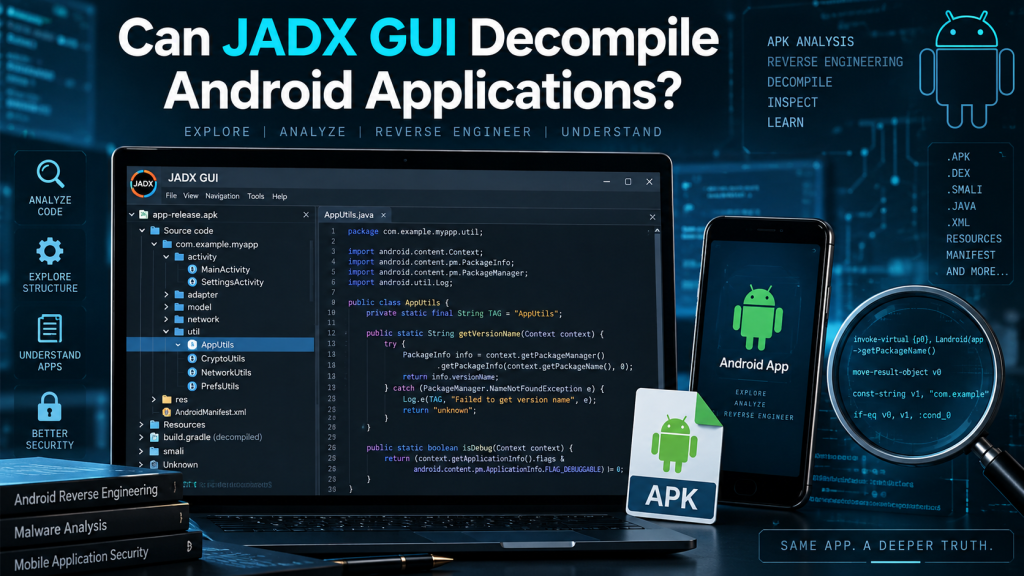
Yes, JADX GUI can decompile Android applications and display much of their compiled code in a readable Java-like format. It is a popular reverse-engineering tool designed to process Android APK and DEX files. Developers, security researchers, students, and application analysts often use JADX GUI when they need to understand how an Android application is structured without having access to its original source project.
JADX GUI combines a graphical interface with the JADX decompilation engine, making Android application analysis easier than working only with command-line tools. It can examine Dalvik bytecode, application resources, manifests, classes, methods, and other components contained inside an APK. However, decompiled results are reconstructed code rather than the exact original source written by the application’s developer.
Read More: How Do I Open an APK in JADX GUI?
How Does JADX GUI Decompile Android Applications?
Android applications usually contain compiled Dalvik bytecode inside DEX files. When an APK file is opened in JADX GUI, the program analyzes those files and attempts to translate the compiled instructions into readable Java source code. The resulting code allows users to explore application classes, methods, variables, packages, and program logic through an organized graphical interface.
The process happens automatically after a supported Android package is loaded. Users do not normally need to extract every DEX file manually before analysis. JADX supports APK and DEX files directly, along with several related formats such as AAB, AAR, ZIP, and other supported package types. This makes it useful for investigating different forms of Android application packages.
- Converts Dalvik bytecode into readable Java-style source code
- Displays application classes, packages, methods, and variables
- Decodes Android resources and important application configuration files
What Information Can JADX GUI Extract From an APK?
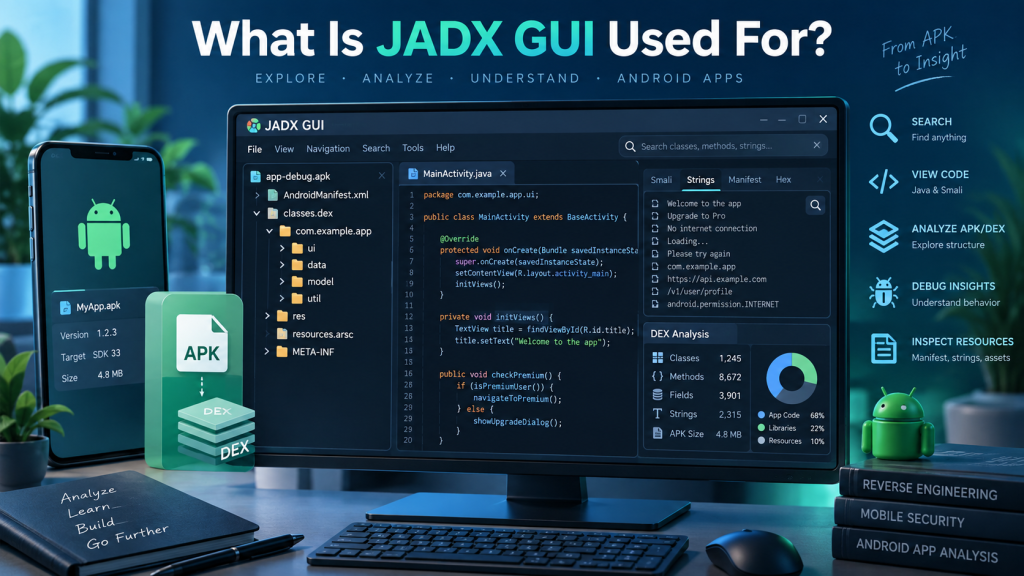
JADX GUI provides considerably more than a simple view of Java code. Android APK files contain different resources, metadata, configuration details, executable code, and assets. JADX can decode important components, including AndroidManifest.xml and resources stored through resources.arsc. These capabilities help analysts understand application permissions, components, activities, services, and other structural information.
The graphical interface also provides features designed to make large applications easier to investigate. Users can browse packages through a project-style tree, search through decompiled content, locate references, and move between declarations. Syntax highlighting improves readability, particularly when examining complex methods or large classes containing hundreds of lines of reconstructed code.
- AndroidManifest.xml and application configuration information
- Java-like source generated from compiled DEX bytecode
- Resources, packages, classes, methods, fields, and references
Is Decompiled JADX Code the Same as Original Source Code?
The Java code displayed by JADX GUI should not be confused with the application’s original source code. Android developers normally write code before it passes through compilation, optimization, packaging, and sometimes obfuscation. During these processes, information such as comments, formatting, original local variable names, and certain high-level programming structures can disappear permanently.
JADX attempts to reconstruct understandable source from the compiled instructions that remain inside the application. Consequently, the output can closely resemble normal Java while still differing from the original project. The official JADX documentation also warns that the tool cannot successfully decompile 100 percent of code in most applications, meaning errors or incomplete methods can sometimes appear.
Why Might JADX GUI Fail to Decompile Some Android Code?
Several factors can make Android applications difficult to decompile accurately. One common issue is code obfuscation. Developers may use tools that rename classes, methods, and variables or restructure code to make reverse engineering more difficult. JADX includes deobfuscation capabilities, but heavily protected applications can still produce confusing or incomplete results.
Complex bytecode patterns, compiler optimizations, unusual application protection systems, malformed files, and unsupported instructions can also affect the final output. Some applications place important functions inside native libraries written in C or C++, which cannot simply be converted into Java by a DEX-to-Java decompiler. Therefore, users should treat JADX as an analysis tool rather than expecting perfect source-code recovery.
- Heavy code obfuscation can make classes and methods difficult to understand
- Native libraries may contain important logic outside normal DEX bytecode
- Compiler optimizations or complex bytecode can produce incomplete decompiled methods
Useful JADX GUI Features for Android Application Analysis
One major advantage of JADX GUI is its graphical environment. Instead of reading thousands of lines through a terminal, users can navigate application components visually. The interface supports highlighted source code, jumping to declarations, finding usages, and full-text searches. These functions can significantly reduce the time required to locate a specific class, URL, method, API reference, or application function.
JADX GUI also includes more advanced capabilities for experienced analysts. The project documentation lists a Smali debugger among its GUI features, which can be useful when examining lower-level Android instructions. Combined with resource decoding and deobfuscation support, these tools make JADX suitable for both basic APK inspection and more detailed application research.
Can Beginners Use JADX GUI?
JADX GUI is relatively beginner-friendly because users can open supported application files and explore their contents through a familiar graphical layout. Someone learning Android development can use it to understand package structures, inspect classes, examine manifests, and study how compiled applications are organized. Basic analysis does not require extensive command-line experience.
Understanding the generated code still requires some knowledge of Java, Android components, and application development concepts. Beginners should also remember that decompilation can produce unusual-looking code because the output has been reconstructed from compiled bytecode. Learning how Android activities, services, intents, permissions, and resources work makes JADX results much easier to interpret correctly.
Is JADX GUI Useful for Security Analysis?
JADX GUI is widely useful when examining the internal behavior of Android applications. Security researchers can inspect suspicious classes, embedded URLs, API calls, permissions, configuration data, authentication-related logic, and other implementation details. Full-text searching and usage tracking make it easier to trace how particular methods, variables, or strings appear throughout an application.
However, security conclusions should not be based entirely on decompiled Java output. Important behavior may exist in native libraries, dynamically loaded code, encrypted content, remote services, or heavily obfuscated components. Effective application analysis often combines JADX with other static and dynamic analysis techniques to develop a more complete understanding of an application’s behavior.
Legal and Ethical Considerations When Using JADX GUI
The ability to decompile an Android application does not automatically mean every use of that capability is permitted. Developers and researchers should analyze applications they own, have authorization to test, or are legally permitted to inspect. Copyright restrictions, software licenses, confidentiality agreements, and local laws may affect what can legally be done with decompiled application code.
Responsible reverse engineering can serve many legitimate purposes, including application debugging, compatibility research, security testing, malware investigation, education, and vulnerability research. Users should avoid copying proprietary code, bypassing protections without authorization, or redistributing material they do not have permission to use. Ethical analysis focuses on understanding software while respecting ownership and applicable rules.
Advantages of Using JADX GUI for Android Applications
JADX GUI provides a practical balance between powerful decompilation and an accessible user interface. It eliminates much of the manual work involved in reading raw Dalvik instructions and organizes reconstructed code into classes and packages. Search, navigation, resource decoding, deobfuscation, and reference-tracking features further improve the experience when dealing with large Android applications.
Another important benefit is flexibility. JADX supports more than traditional APK files, allowing analysts to work with DEX, AAB, AAR, ZIP, and several additional input formats supported by the current project. This flexibility makes the tool useful for developers, researchers, cybersecurity professionals, and learners dealing with different Android-related packages.
Conclusion
JADX GUI can decompile Android applications by converting compiled Dalvik bytecode into readable Java-style source code. It can also decode important resources and provide convenient navigation, searching, reference tracking, syntax highlighting, and other features that simplify Android application analysis. For many APK files, it provides enough reconstructed information to understand important parts of the application’s structure and logic.
Users should nevertheless remember that decompilation is not perfect source-code recovery. Obfuscation, native code, compiler optimizations, application protection systems, and complex bytecode can limit the quality of the output. When used responsibly and combined with appropriate technical knowledge, JADX GUI remains a valuable tool for Android development research, debugging, education, and application security analysis.
Pingback: What Are the System Requirements for JADX GUI?